Get Started
The purpose of the Get Started page is to provide a landing place presenting crucial high-level metrics and providing convenient access to the essential functionalities within the application.
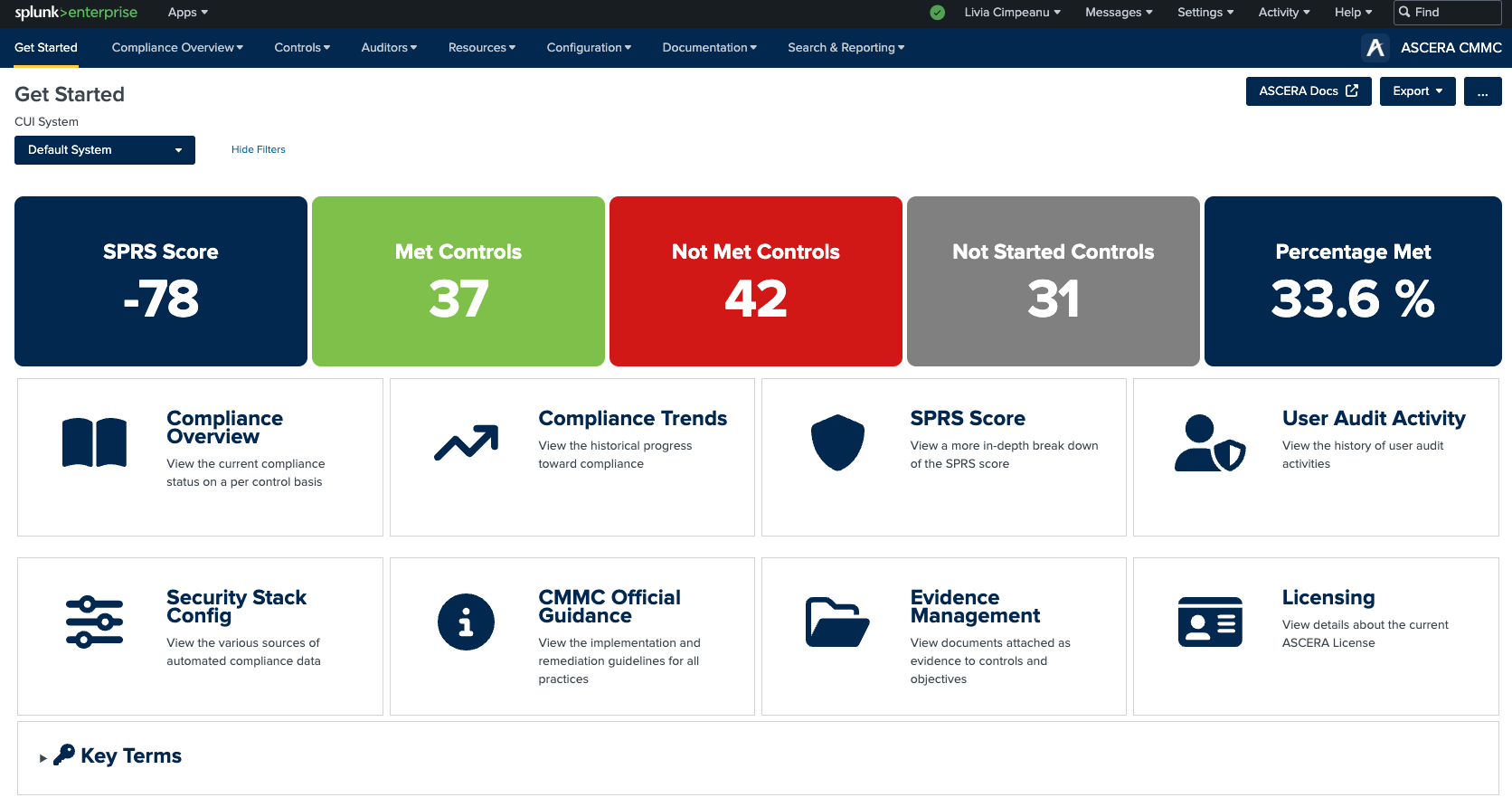
The most noticeable elements on the Get Started page are the informational cards, which prominently display the following metrics:
- SPRS Score: Supplier Performance Risk System (SPRS) is the authoritative source for supplier risk for the DoD (Department of Defense) acquisition community. The SPRS Score is the numerical result of the scoring methodology the DoD leverages for its assessment of the cybersecurity stance of a supplier.
- Number of Met Controls: Indicates the count of controls that have been successfully met.
- Number of Not Met Controls: Displays the count of controls that remain unsatisfied.
- Percentage of Met Controls: Reflects the percentage of controls that have been satisfactorily met.
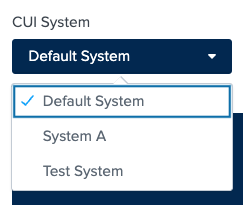
A critical consideration for users is the selection of a Controlled Unclassified Information (CUI) system. An individual's organization might include multiple systems that hold CUI, each with distinct protective measures (including people, processes, and technology) to safeguard sensitive data. Users will be able to utilize this function to deploy ASCERA across multiple systems while maintaining separation with monitoring and reporting. These systems can be established via the System Management page.
The Get Started page features several buttons that provide rapid access to various essential sections of the application:
- Compliance Overview
- Compliance Trends
- SPRS Score
- User Audit Activity
- Security Stack Config
- CMMC Official Guidance
- Evidence Management
- Licensing
Each button is accompanied by a succinct description, aiding users in comprehending the destination of each navigation.
The navigation menu, accessible for the first time on the Get Started page, offers comprehensive access to every facet of the system. This menu remains accessible from every application page, enabling users to traverse between different sections seamlessly.
In the top right corner, users will also find the ASCERA logo. By clicking on the logo or the app name, users can instantly return to the Get Started page from any point within the application.
To help you navigate through the app seamlessly we added a “help” button that once click will bring you to this documentation. The button is visible on all pages and will take you to the corresponding documentation page for easy access.
For enhanced customization, several Splunk actions have been made accessible, enabling users to tailor their experience according to their specific requirements. Users have the ability to personalize the layout of screens and dashboards and save searches according to their preferences using the Edit option located at the top right corner of the page. Adjacent to the Edit button, users can find the Export button, which provides various export choices. Additionally, the "more options" button allows users to further tailor their experience within the application.
The last element on the page is the list of the Key Terms, accompanied by their respective definitions. This resource assists users in comprehending terminology encountered throughout their use of the application.