Control Details Page
The ASCERA CMMC app is specifically designed to facilitate the comprehensive implementation and continuous monitoring of all 110 NIST SP 800-171 controls required to achieve Level 2 CMMC certification.
The Control Details pages are meticulously designed to assist users in effectively monitoring control statuses, implementations, Plans of Action & Milestones (POA&Ms), file-based evidence, and other pertinent information crucial for obtaining CMMC certification.
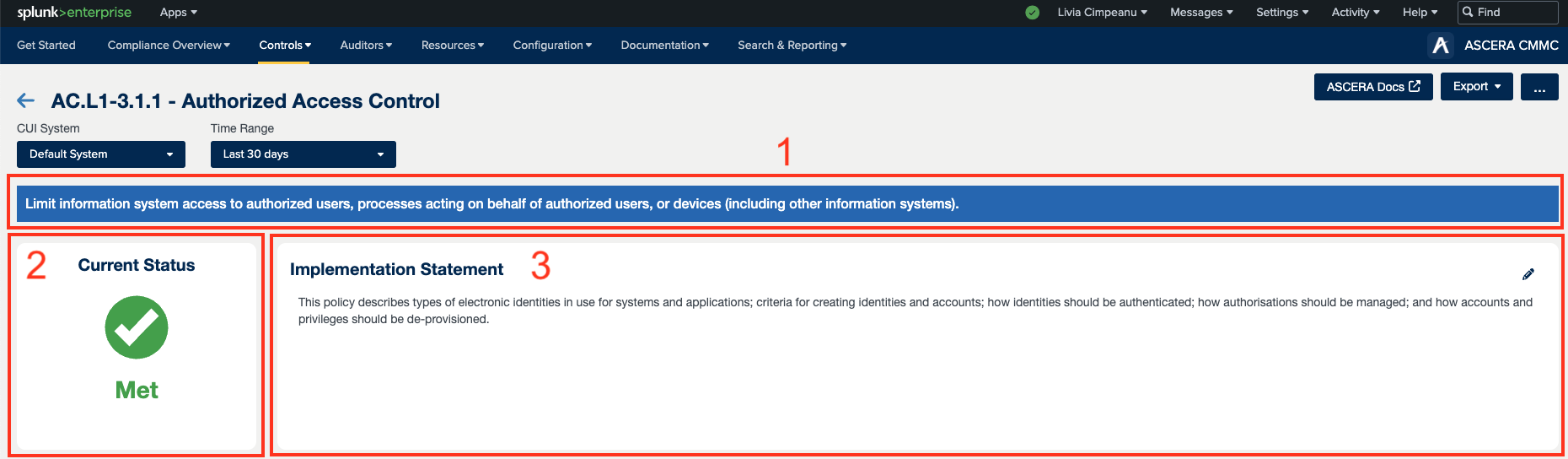


1. Control title and description
Each Control Details page features the Control title and a brief description that elaborates on the nature of the assessment.
2. Current Status
The most crucial element is the control Current Status. The current status will reflect the current state of the ACE control based on the business engine compliance rules when configured for ACE. Also, Users have the capability to manually update the status, as needed, when conducting control reviews. Any modifications to control details can potentially impact the overall control status.
3. Implementation statement
The control implementation statement describes the measures taken to meet the requirements of a control. The implementation statement will seamlessly integrate into the generated System Security Plan.
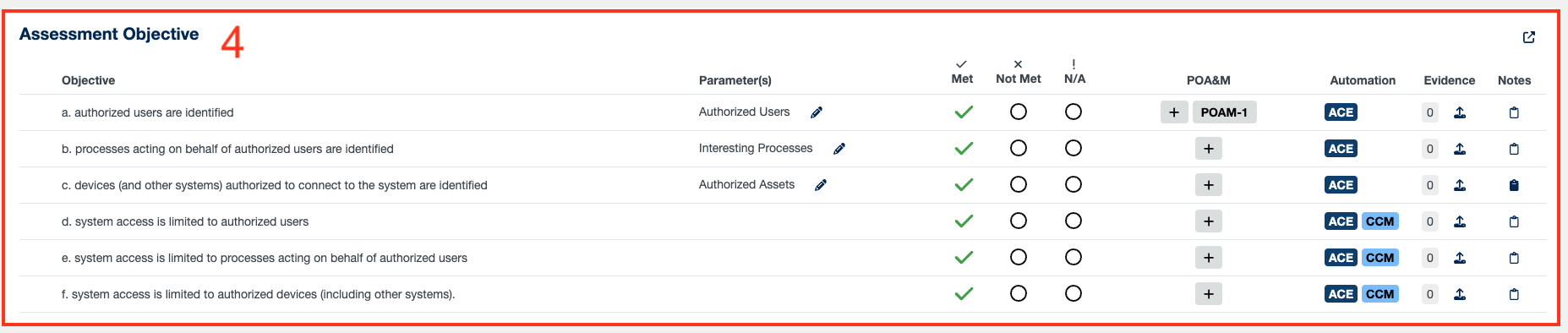
4. Assessment objective
This section serves as the centerpiece of the page. Within the assessment objectives area, a list of all objectives essential for satisfying the control's requirements is presented. This section also provides the following details for each objective:
- Parameter(s) - Organizational Defined Parameters (ODPs) are user-configurable variables and resources used for the automation of controls. ODPs within the app consist of numerical values used in ACE saved searches and lookups that must be defined to meet control and assessment objective requirements.
- Objective status - each objective can have a different status. Once all objectives are satisfactorily met, the control review modal opens for the user to set manually the control status.
- POA&M - each objective can be associated with one or more POA&Ms. The purpose of a Plan of Action and Milestones is to outline how a contractor plans to address and rectify any known weaknesses.
- Automation - not necessarily all objectives have the capability of automatic evidence collection or Continuous Control Monitoring. The objectives that have these automation capabilities are marked in this area with the applicable tag and the objectives that are not automated are considered “administrative controls” and are marked with the “ADMIN” tag.
- Evidence - this subsection facilitates the monitoring of evidence files uploaded for each objective, along with identifying objectives that necessitate further attention. Users are empowered to upload evidence files specifically for a given objective.
- Notes - this column is dedicated to managing notes for each objective within the control. Users are encouraged to frequently review and update notes to ensure they remain relevant and accurate and to provide comprehensive details in each note to enhance clarity and usefulness.
5. POA&Ms table and Add POA&M button
This feature facilitates the creation of new POA&Ms or the linking of existing ones for the entire control and not just an objective(s). All the POA&Ms associated with each objective(s) will be presented in this area.
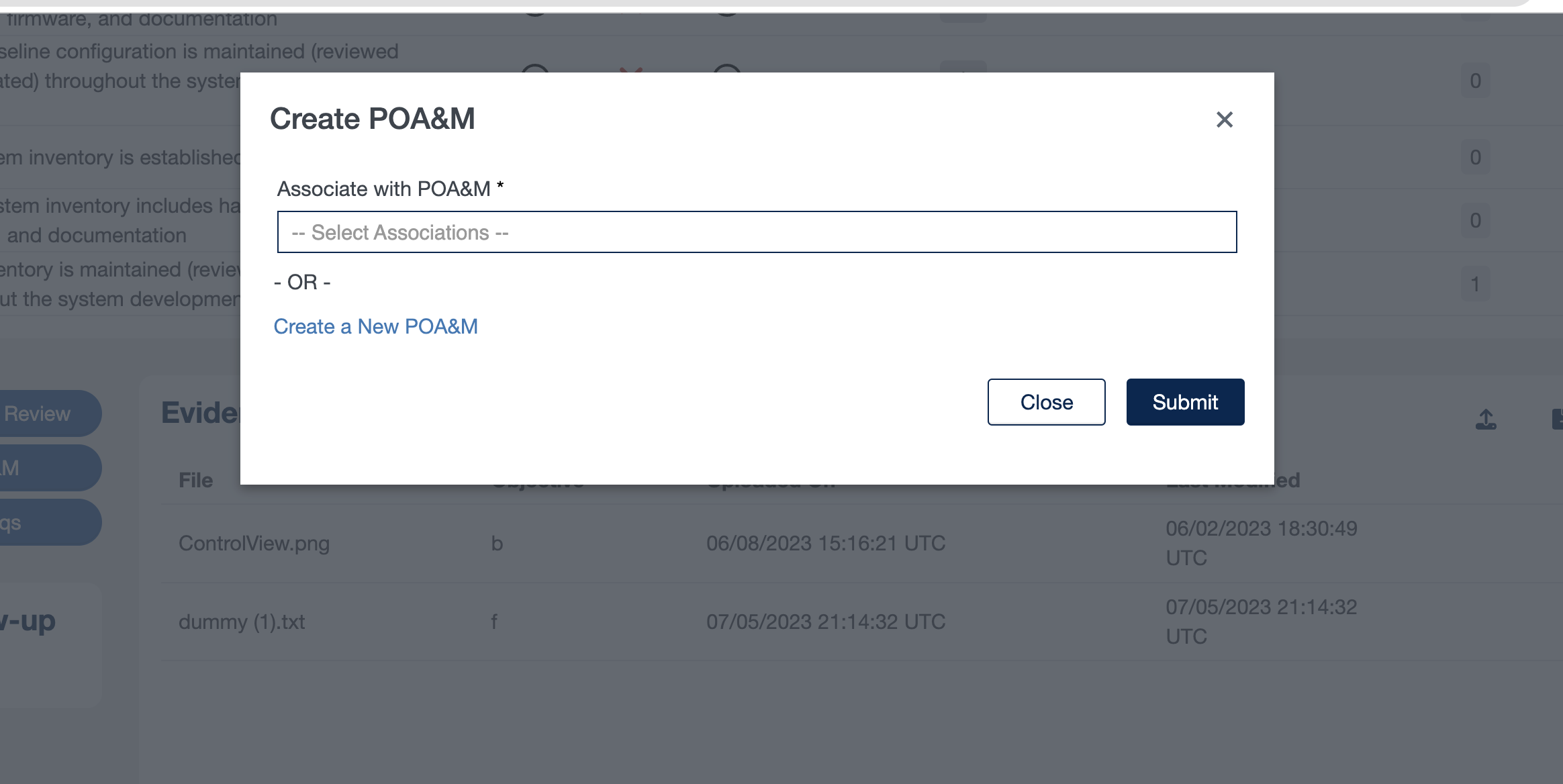
For more in-depth information about POA&Ms please refer to our dedicated POA&M Management Page.
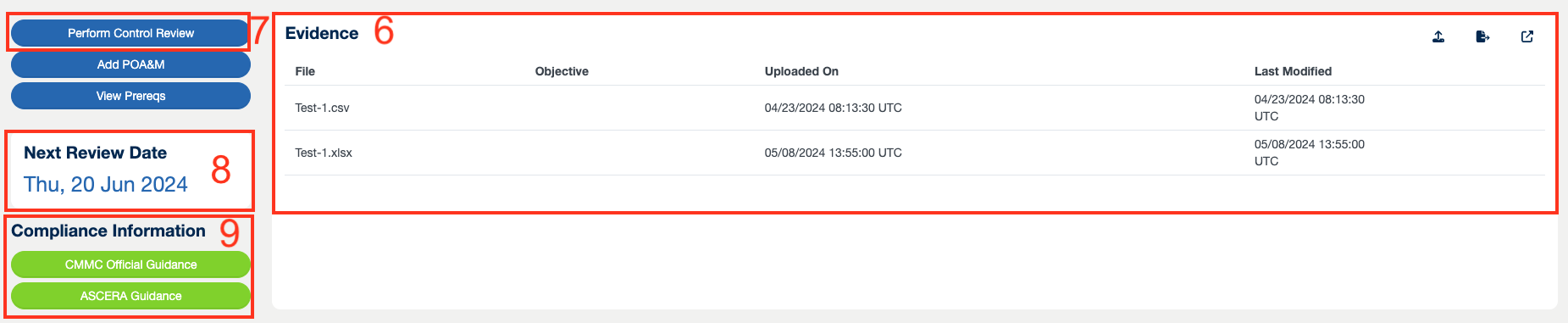
6. Evidence
The Evidence area provides an overview of all currently uploaded files relevant to the control. It specifies the objective associated with each file, as well as the dates of upload and last modification. Additionally, this section has features to view, edit, or delete a file.
7. Perform Control Review
This button was created for easy access to the Control Review form.
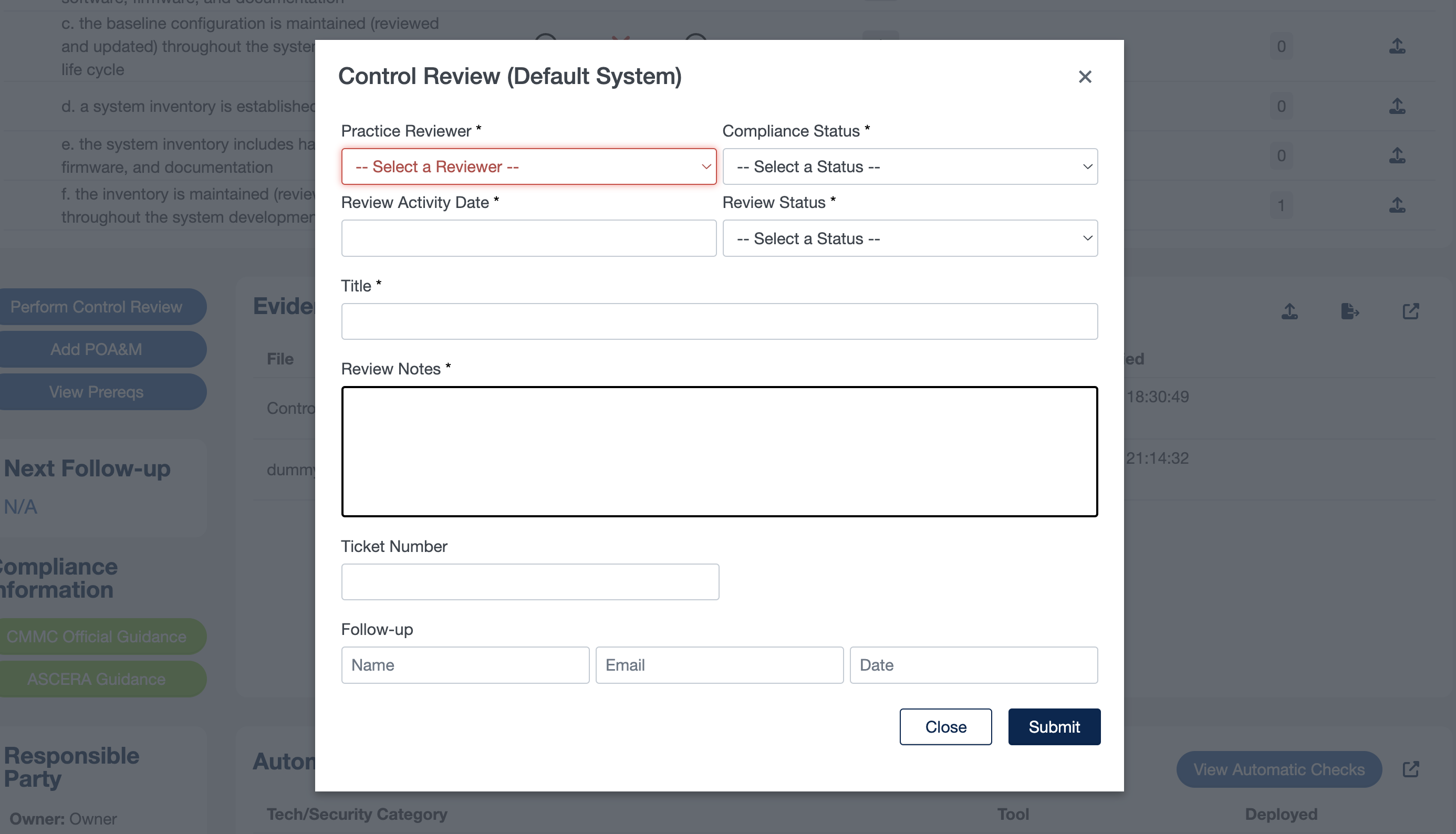
The purpose of reviewing controls in the CMMC is to assess compliance status, track progress, identify areas for improvement, and establish a systematic approach to maintaining and enhancing cybersecurity maturity within an organization. For an in-depth understanding of control reviews, refer to our dedicated Review Controls Page.
8. Next Review Date
When a user performs a control review, they are able to assign a date and user to review the control. This date shows the next date within the cadence of tracking, validating, and reporting on control actions within the organization based on user assignment, ensuring timely compliance based on the frequency defined. This date is used for a user (control owner, control operator, responsible party, and auditor) to ensure timely reviews are performed based on the organizationally defined cadence, which is critical for controls not capable of ACE automation.
This section is also important for the ACE checks, it is important for human eyes to review the controls every so often to verify the compliance status and to verify that the ACE checks are accurately determining your compliant status. The user makes sure everything is accurate in the compliance status.
9. Compliance Information
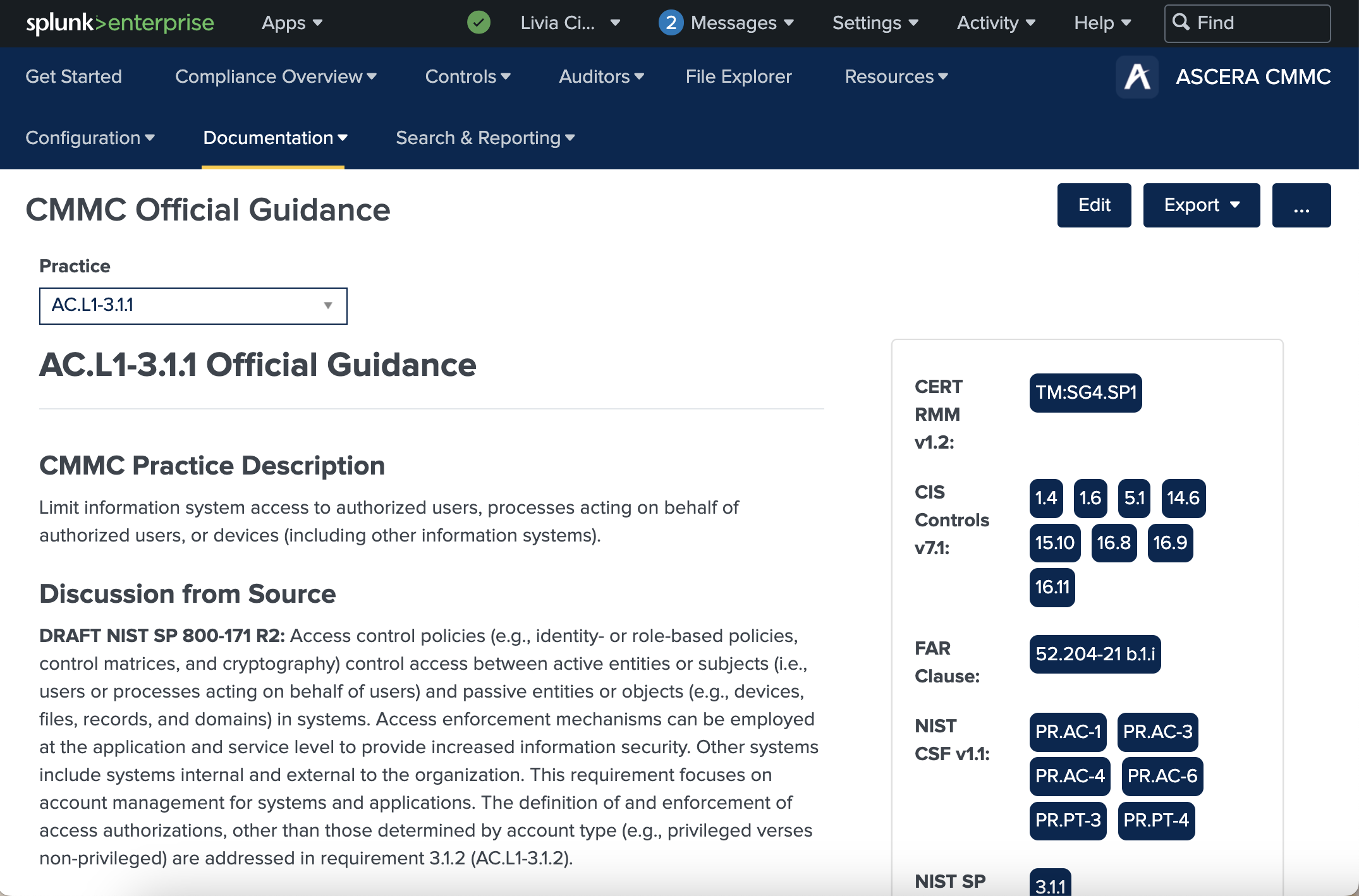
This section comprises links to supplemental resources regarding the practice, encompassing both internal and external documentation.
Official Guidance - Official CMMC Documentation, specifically the Level 2 Assessment Guide, provides Discussion from NIST 800-171, Assessment Methods, Potential Assessment Considerations, Further Discussion, and Examples.
ASCERA Guidance - Implementation recommendations provided by SP6’s Cyber Risk & Compliance experts. Please contact us for more information.
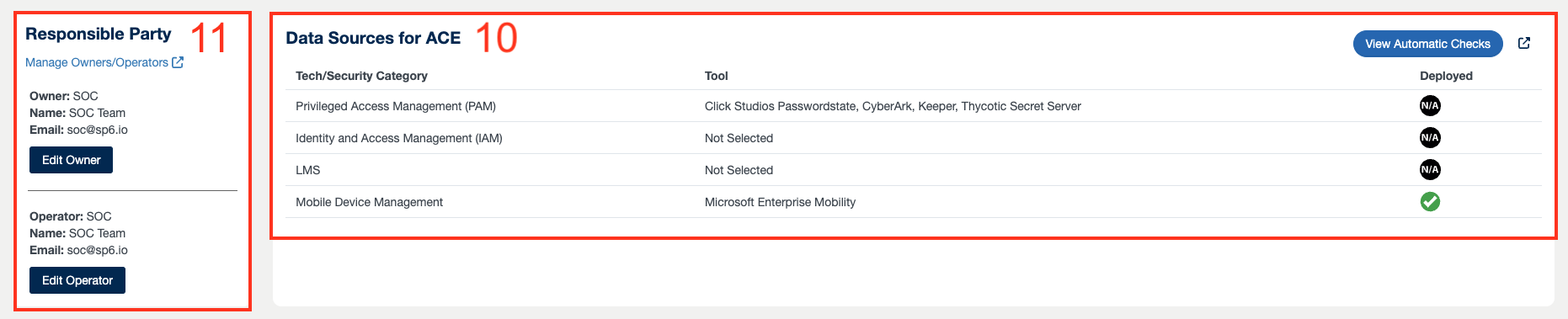
10. Data Sources for ACE
This section offers a CMMC suggested list of the technology and security tools commonly required for accurate compliance monitoring of a control. This Report shows the Technology in the contractor’s environment that is generating the data necessary for ASCERA’s “Business Rules Engine” to determine the status of control objectives. The ACE & CCM Report is using the data completed in the Security Stack Config to determine the compliance status of the controls.
11. Responsible Party
This feature helps the user establish an Owner and Operator for a control.
The Control Owner is the entity ultimately accountable for ensuring the control’s effectiveness and mitigating the risks it is designed to address.
The Control Operator is the entity responsible for the day-to-day operation of the security control.
12. Most Recent Review Activity
A chronological table of all audit entries created for a control is presented in this section. An auditor or assessor will use this section to go through this table and make sure the system is determining the compliance status correctly.
For both automated and manual monitoring of controls, this field gives visibility into when it was last examined. For automated controls, many of the entries are triggered by the ACE controls process checking for evidence or noting the status change, and potentially noting a control past the Next Review Date. For manually monitored controls, like PS.L2-3.9.1 need to be manually reviewed quarterly, a user (control owner, responsible party, and auditor) can double-check that the review occurred when required.
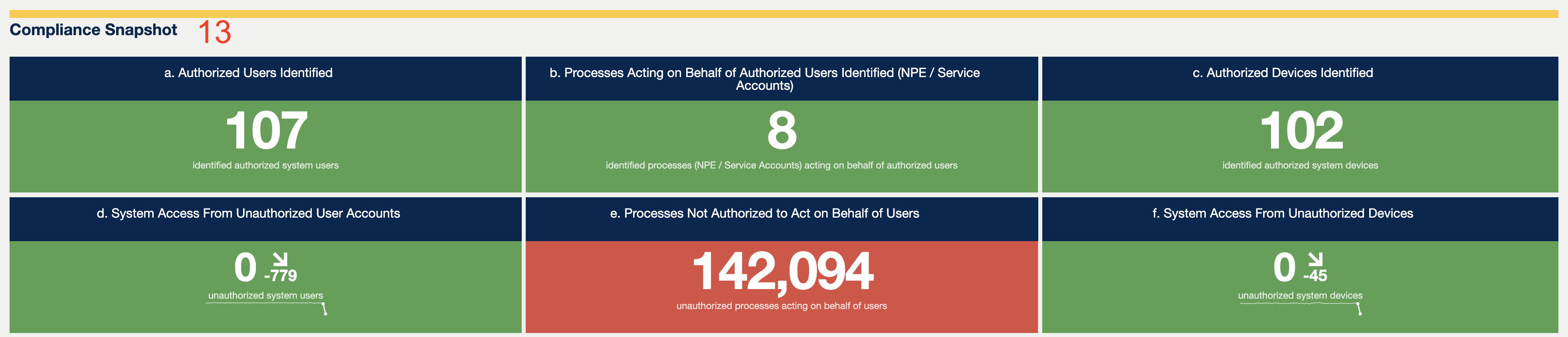
13. Compliance Snapshot
The Compliance Snapshot provides real-time insight into the status of each control by leveraging Splunk's dashboard panels. Ingested Splunk data is analyzed during page load and the results are displayed in easy-to-understand tables, graphs, and single-value panels with colored indicators. The Compliance Snapshot enables users to understand a control's compliance status as quickly as possible.
Most control objectives are represented in the Compliance Snapshot except for a few whose statuses cannot be shown using typical Splunk dashboard panels. This enables users to quickly verify objective compliance statuses with real-time data. The Compliance Snapshot can also alert users to issues that need immediate attention and investigation.