Get Started
The Get Started page is the landing page for the application, offering an overview of critical metrics and providing easy access to key functionalities.
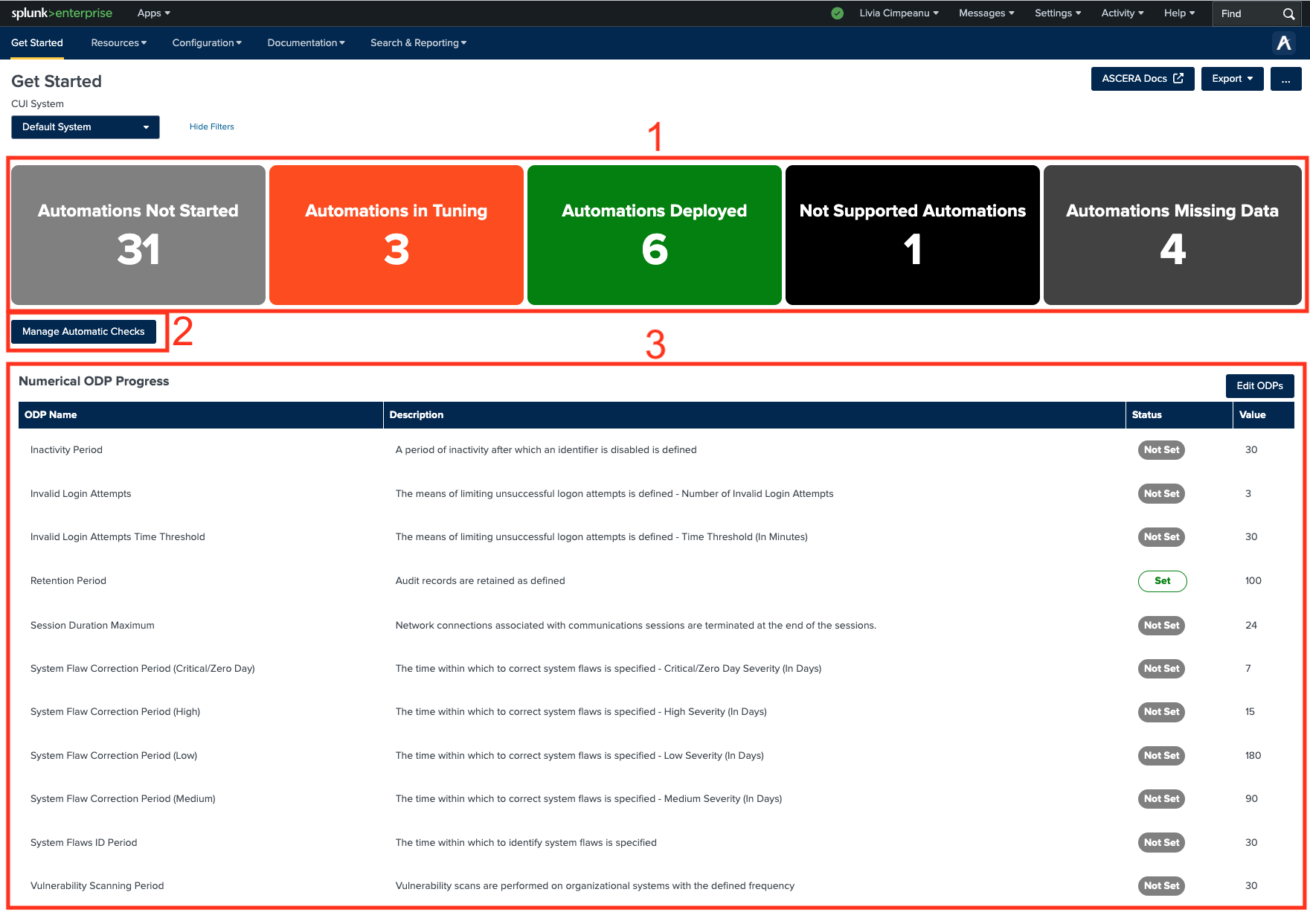
1. Automation Status Overview
Informational cards display the status of automations, categorized as:
- Not Started
- In Tuning
- Deployed
- Not Supported
- Missing Data
Clicking on any card redirects users to the Manage Automatic Checks page for detailed insights and management options.
2. Accessing the Manage Automatic Checks Page
A dedicated button beneath the automation cards provides quick access to the Manage Automatic Checks page.
3. Numerical ODP Progress Table
This table presents:
- A list of numerical ODPs (Operational Data Points)
- Descriptions of each ODP
- Current status and corresponding values
Users can navigate to the Manage Automatic Checks page by selecting the Edit ODPs button.
The Get Started page serves as the central hub, ensuring users can efficiently monitor automation statuses and progress while seamlessly managing configurations.