Reviewing Controls
The Control Review dialog is opened from the Control Detail’s button, “Perform Control Review”.
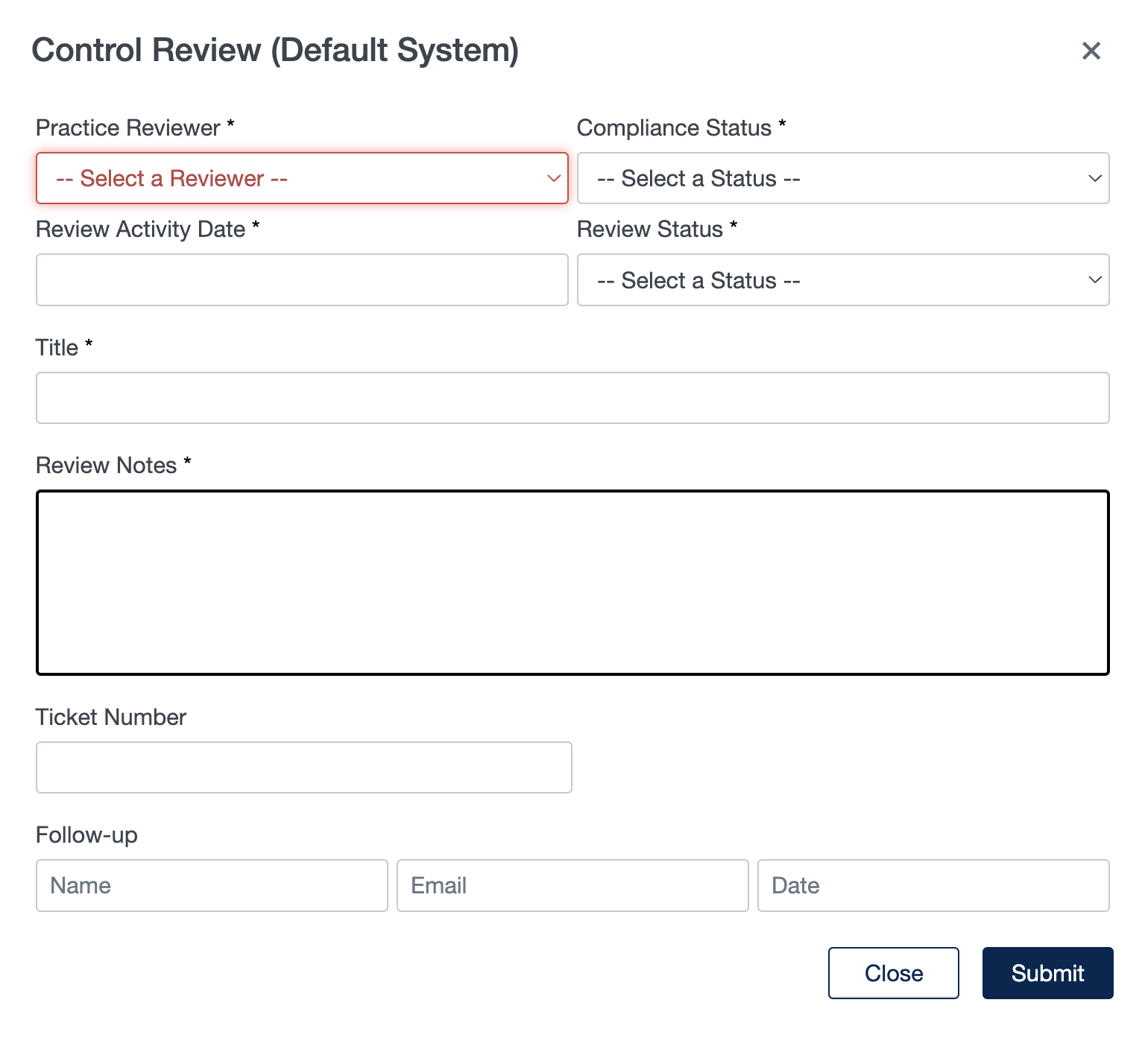
For the Cybersecurity Maturity Model Certification (CMMC), reviewing controls serves several purposes:
- Updating Compliance Status: The review of controls helps in assessing the current state of compliance with the specified security controls. It allows organizations to determine whether they are meeting the requirements set forth by the CMMC framework.
- Providing Compliance Status: The outcome of the control review is used to provide a status update on compliance. This status can be expressed using labels such as "Complete," "In Progress," "POA&M required" (Plan of Action and Milestones), or "Incomplete." It helps in tracking and communicating the organization's progress toward achieving compliance.
- Referencing an ITSM ticket: The review of controls can be linked or associated with a ticket in a service management tool like ServiceNow. This integration helps in streamlining the compliance process by capturing relevant information and ensuring proper documentation and tracking of control review activities.
- Capturing Follow-up Actions: The review process also involves capturing any required follow-up actions resulting from the review. This includes identifying deficiencies or gaps in controls and determining corrective measures to address them. Tracking these actions and setting reminders for follow-up helps ensure that necessary steps are taken to improve compliance.
Overall, the purpose of reviewing controls in the CMMC is to assess compliance status, track progress, identify areas for improvement, and establish a systematic approach to maintaining and enhancing cybersecurity maturity within an organization.
Within ASCERA CMMC, control owners can manually review controls using the Perform Control Review dialog which is accessible from within the Control Details page for each Control.
Beyond the typical follow-up for CMMC, ASCERA CMMC permits the reviewer to indicate if there is a need to override the status as reported by ACE (the automatic compliance evaluation). If the reviewer knows the status returned by ACE is not going to be accurate for some duration, the user can click the “Supercede Control Status” check box, and enter a date/time until which the ACE control should be superceded. During that duration, the manual status captured by the review will be shown in the UI. Once the time given in the superceded passes, ASCERA CMMC will automatically revert to showing the ACE returned status.
Note that the follow-up time is used to signal on the Control Overview dashboard, which Controls are due to be reviewed.
Each time a Control is reviewed, an entry is made in the Review Activity log, visible within the Control Detail page in the section labeled “Most Recent Review Activity”. For a view of all Review Activity, the page found at Auditors->Review Activity shows the history of manual audits in addition to all automated system activity for controls.
Meanwhile, the Compliance and Review Status are reflected on the Compliance Overview and Compliance Trends dashboard.