Auditors Overview
The Auditor Overview page provides a dashboard focused on controls needing attention to streamline continuous monitoring and remediation activities.
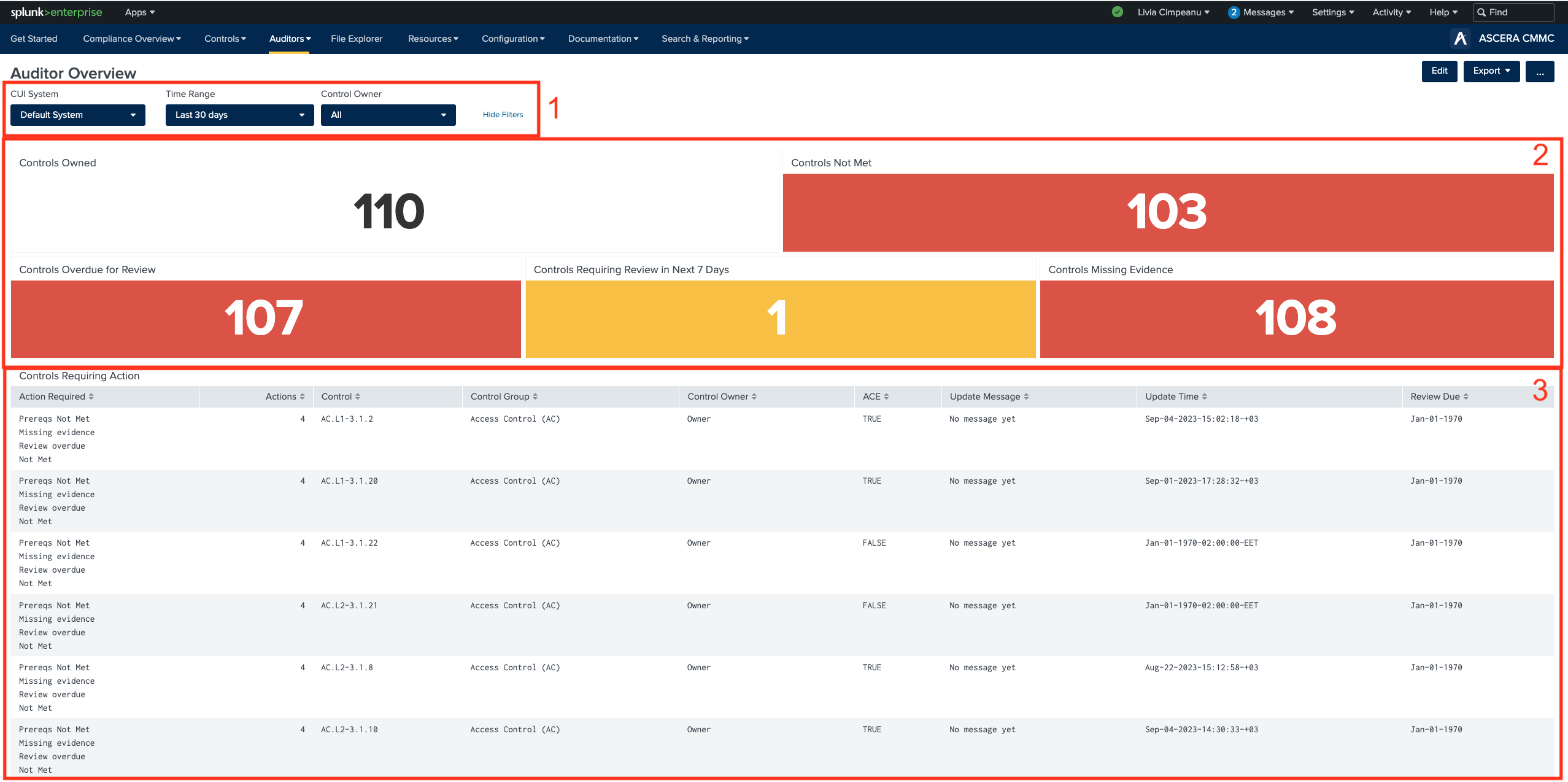
1. Filters
The filters on this page allow users to refine the displayed information based on the CUI system, a specific time range, and control owners.
2. Panels
These widgets provide valuable insights to help users gain a comprehensive understanding of their compliance with CMMC. The widgets include:
- Controls Owned - The total count of controls that must be satisfied for the organization to achieve CMMC compliance.
- Controls Not Met - The number of controls that have not been satisfied.
- Controls Overdue for Review - The count of controls that have surpassed their assigned review date without being addressed, resulting in an overdue review.*
- Controls Requiring Review in Next 7 Days - The number of controls scheduled for review in the upcoming week.*
- Controls Missing Evidence - The count of controls lacking supporting evidence for all objectives.
Users can click any of these widgets to reveal a table containing a list of the respective controls.
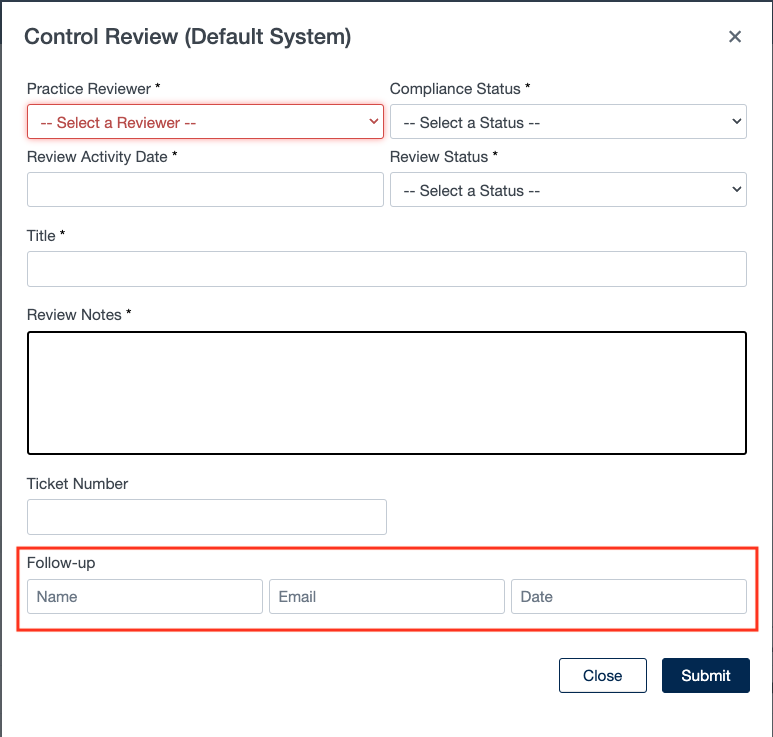
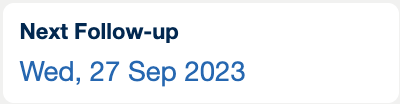
*On the Control Details page, users have the ability to set a Review Date through the control review modal. Once the date is established, designated personnel responsible for follow-up actions will receive email notifications when necessary actions become due. The Review Date is prominently displayed on the Control Details page, making it convenient for users to monitor controls that require attention, ensuring a streamlined compliance tracking process.
3. Controls Requiring Action
The Controls Requiring Action table lists controls in the selected system environment that require attention to ensure controls are meeting defined requirements.