Licensing
The Licensing Page is your central hub for managing licenses, facilitating deployment, and configuring the ASCERA for Splunk.
Thank you for choosing ASCERA for Splunk! If you’ve reached this stage, it means you’re ready to activate your license and start using our app. To begin, please follow the steps below.
Activating Your License
- Enter License Key: In the designated field, input your license key.
- Submit: Click the 'Submit' button.
- Confirmation: Once your license has been successfully added, a confirmation message will appear, indicating that your license is now active.
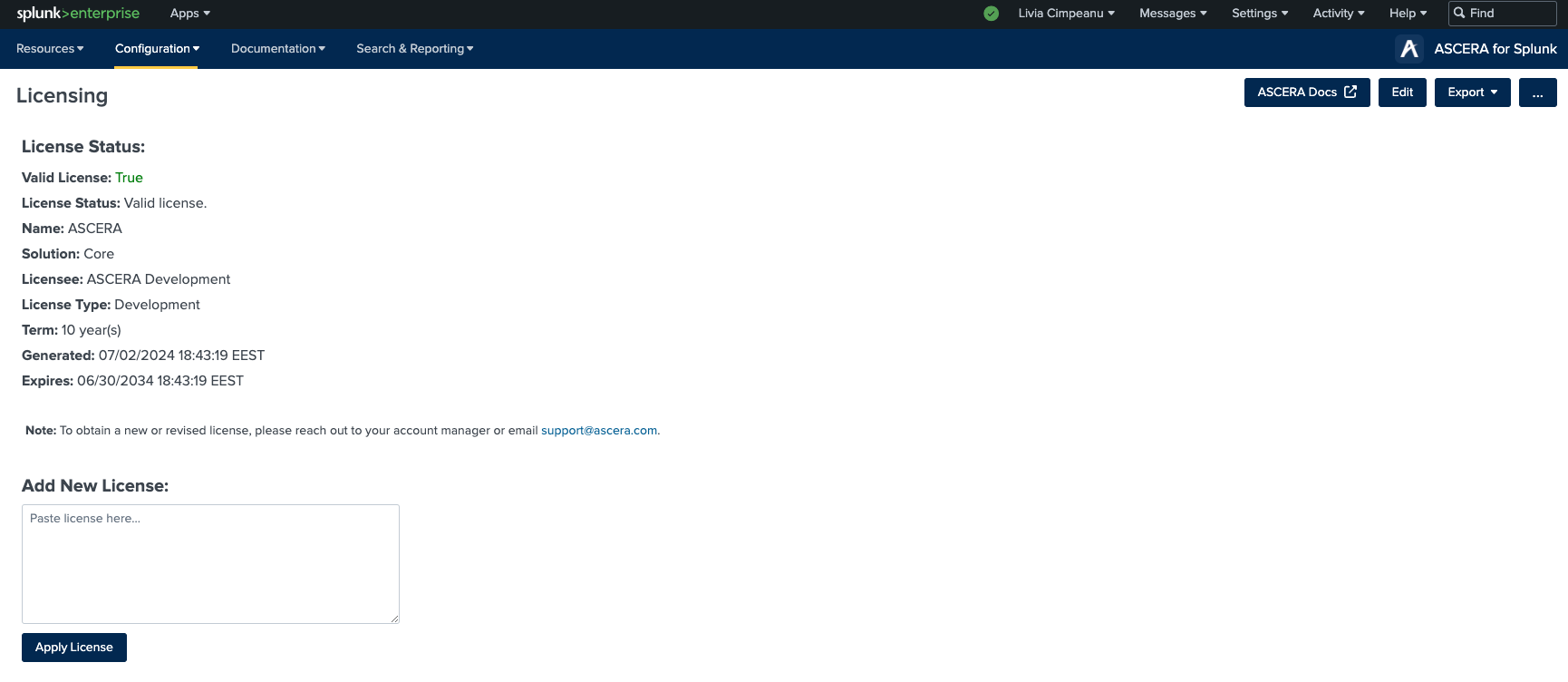
Please be aware that ASCERA for Splunk requires a valid license for operation. Without a valid license, you will not be able to access its functionalities. In the event of a missing, expired, or invalid license, you will receive relevant system messages on various pages of the application to prompt you to take appropriate action.
- No license found. Add a new license to use the app.
- License expired. Add a new license to use the app.
- Invalid license. Add a new license to use the app.
To obtain a new or revised license, reach out to your account manager or email support@ascera.com.
If you are interested in using our compliance app, ASCERA CMMC, it requires a separate license. You can download ASCERA CMMC and purchase a license accordingly. For detailed instructions on how to activate your ASCERA CMMC license, please refer to Licensing (CMMC).
Maintaining a valid and up-to-date license is essential to ensure uninterrupted use of this software. If you have any questions or encounter issues related to licensing, please contact support@ascera.com for assistance.